Supporting TLS
Servers grouped by their TLS certificate validation status. TLS support is determined by connecting to each server and attempting a TLS handshake, either directly on a dedicated TLS port or via STARTTLS negotiation on the primary port.
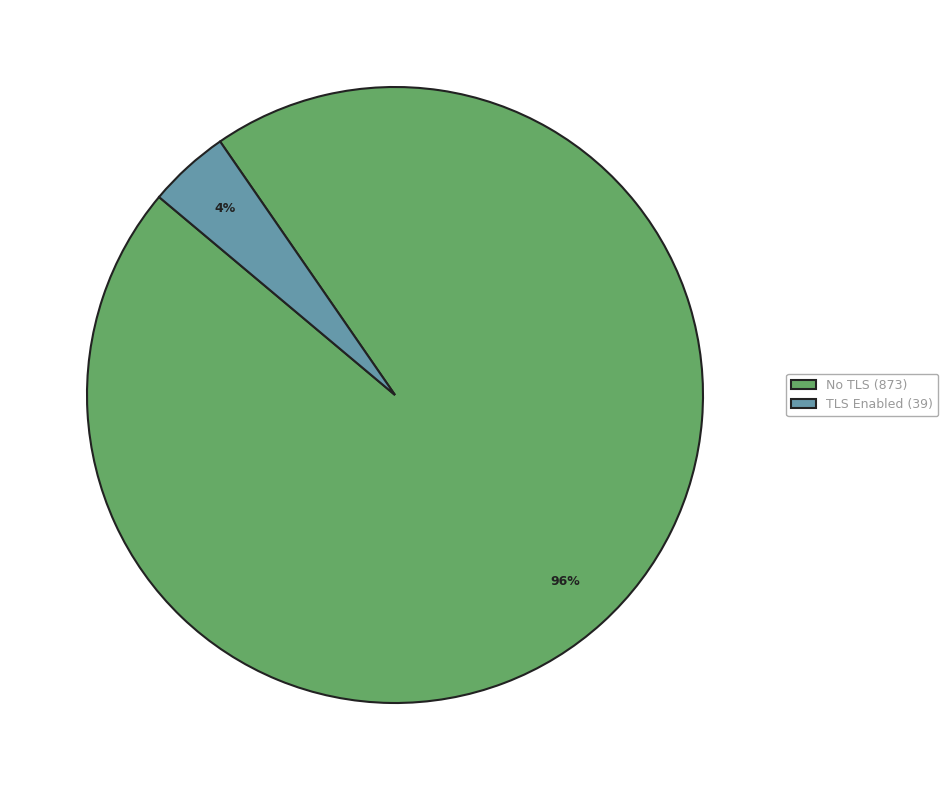
TLS-enabled servers vs servers without TLS.
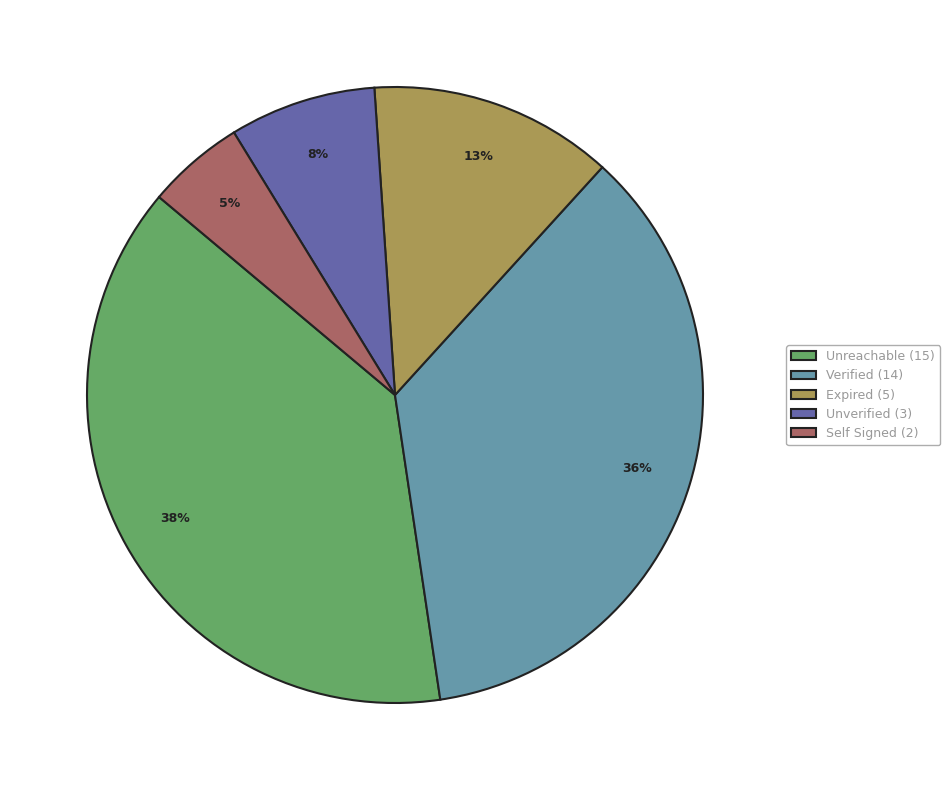
Certificate validation results for TLS-enabled servers.
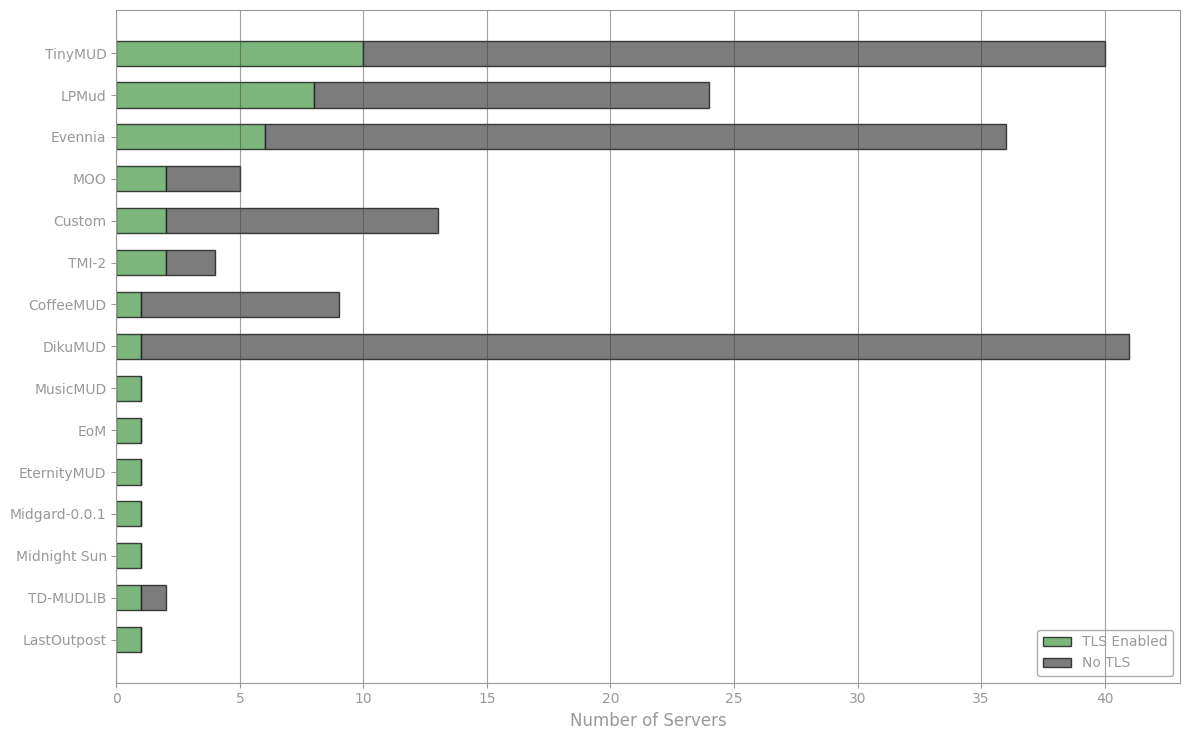
TLS support breakdown by codebase family.
Status |
Servers |
|---|---|
47 |
|
20 |
|
16 |
|
5 |
|
4 |
|
2 |
Unreachable
These servers advertise a TLS port but could not be reached on that port at the time of the scan.
MSSP Reported but Not TLS
These servers advertise TLS support via MSSP (SSL or TLS field set to 1) but failed to negotiate TLS when requested. The MSSP metadata reports TLS capability that could not be confirmed, so these servers are not counted as TLS-enabled in the statistics.
Verified
These servers have a valid TLS certificate signed by a trusted certificate authority. Connections are encrypted and the server identity is confirmed.
Expired
These servers support TLS but their certificate has expired. The connection is encrypted, but the certificate should be renewed.
Unverified
These servers support TLS but their certificate could not be verified. The certificate may be issued by an unknown certificate authority.
Self-Signed
These servers support TLS but use a self-signed certificate. The connection is encrypted, but the server identity cannot be verified by a trusted certificate authority.